DrumChart

Write drum charts faster, your way.

Hear the drums on their own, write the grooves in a simple grid, and get a clean one-page chart for the stand. DrumChart takes care of the tempo, the bar counts, the notation and the layout.

DrumChart is built for a computer. Send the link to yourself and open it there.

Send yourself the link

Free for 7 days, then £29.99 once.

No card needed, and nothing is ever charged automatically.

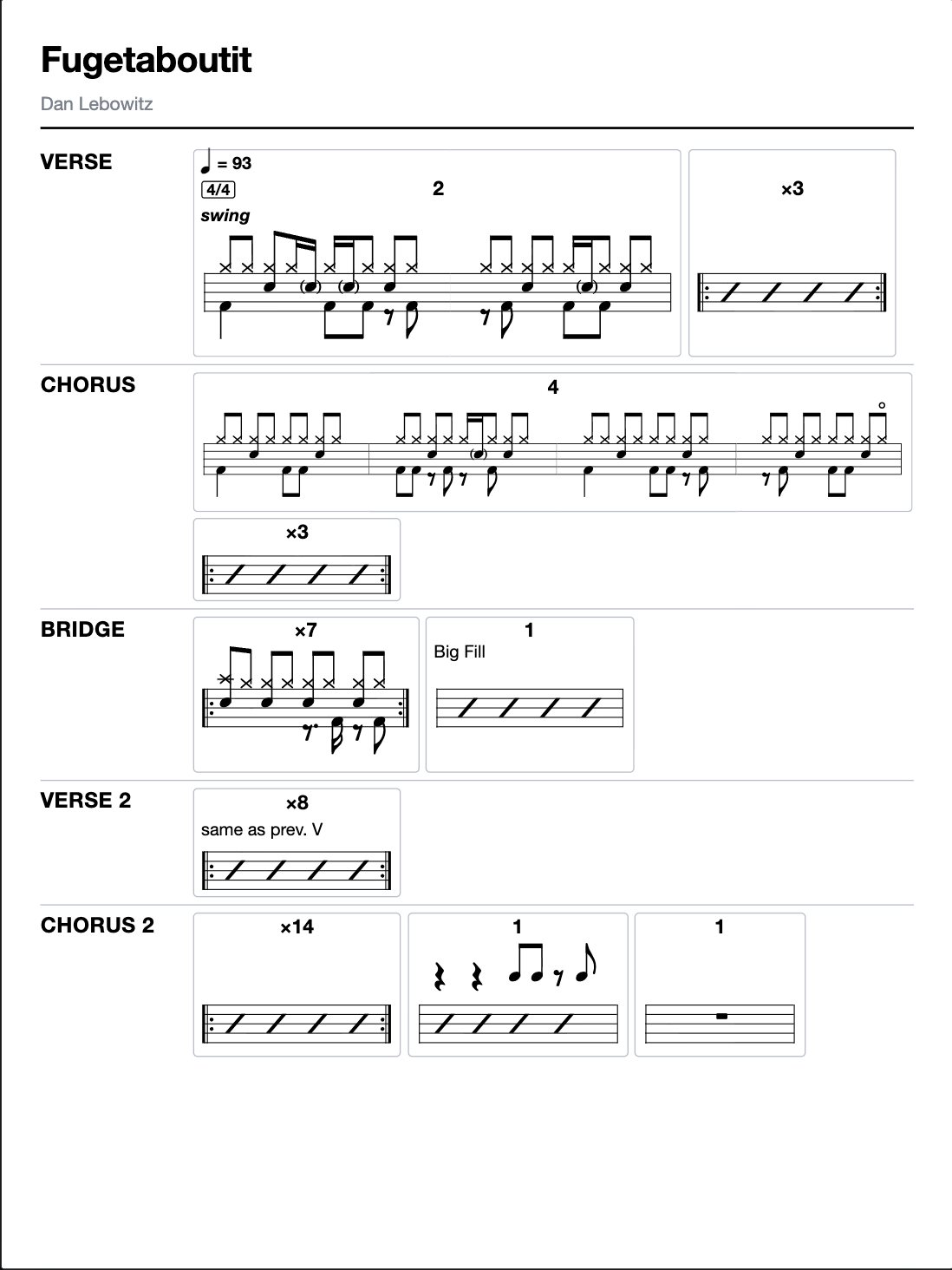
A finished chart of Fugetaboutit on one page: Verse, Chorus, Bridge, Verse 2 and Chorus 2 with their grooves written out

Gigging and dep drummers

Learn the set quickly and read every song from one page.

Drummers learning songs

Hear what the drummer plays, slow it down and play along.

Drum teachers

Write practice sheets and send students the PDF.

See a chart get made

From the recording to the page.

How it works

You do the listening and the writing. DrumChart does the counting and the layout.

1

Map the sections

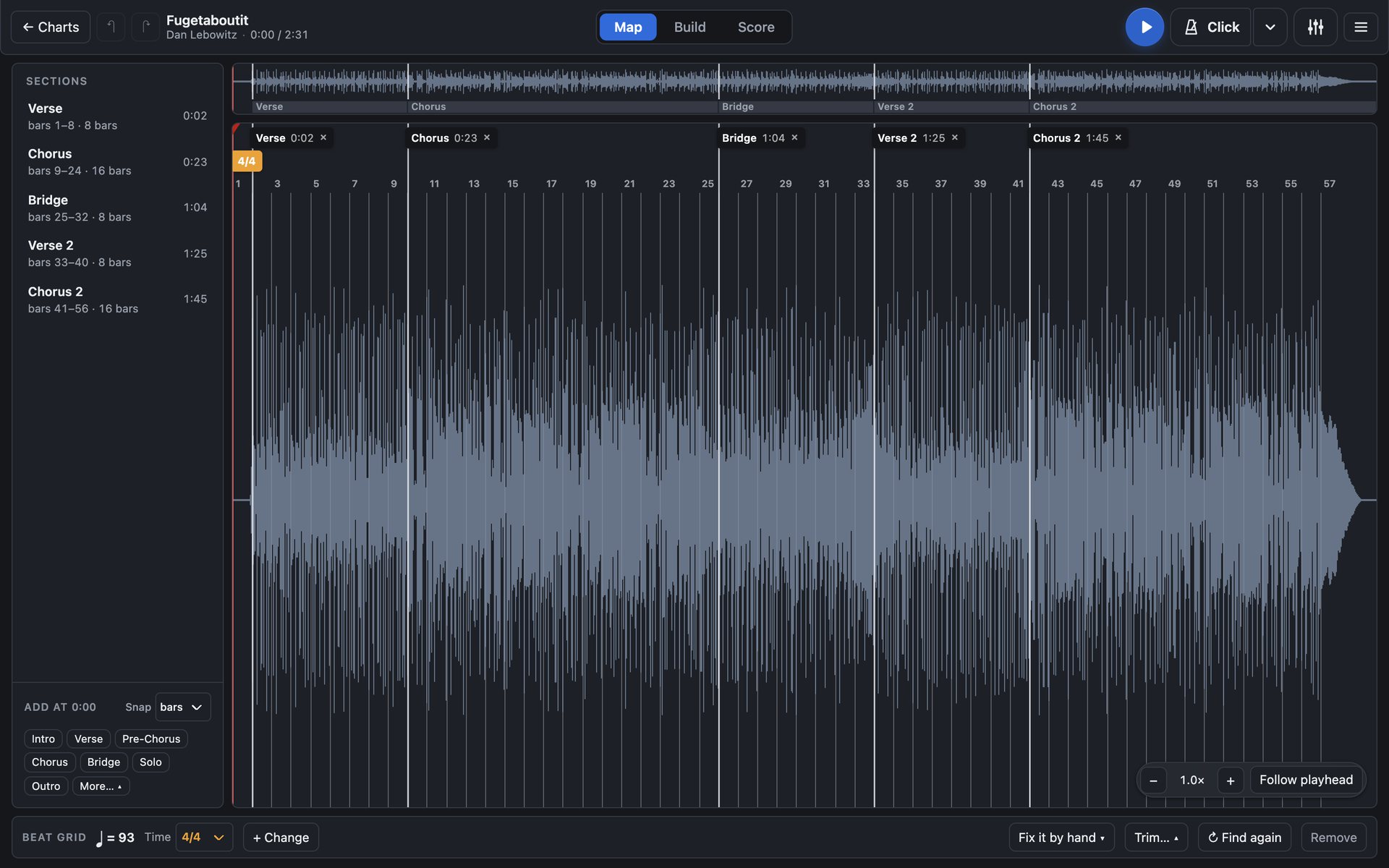
Open an MP3, WAV or M4A. The tempo and bar lines are there, ready to check. Mark the intro, verses, choruses and stops as it plays. Bar counts come from the recording, so they're right.

Map: the recording's waveform with the bar numbers and the Verse, Chorus, Bridge, Verse 2 and Chorus 2 markers, and the list of sections beside it
2

Hear the drums

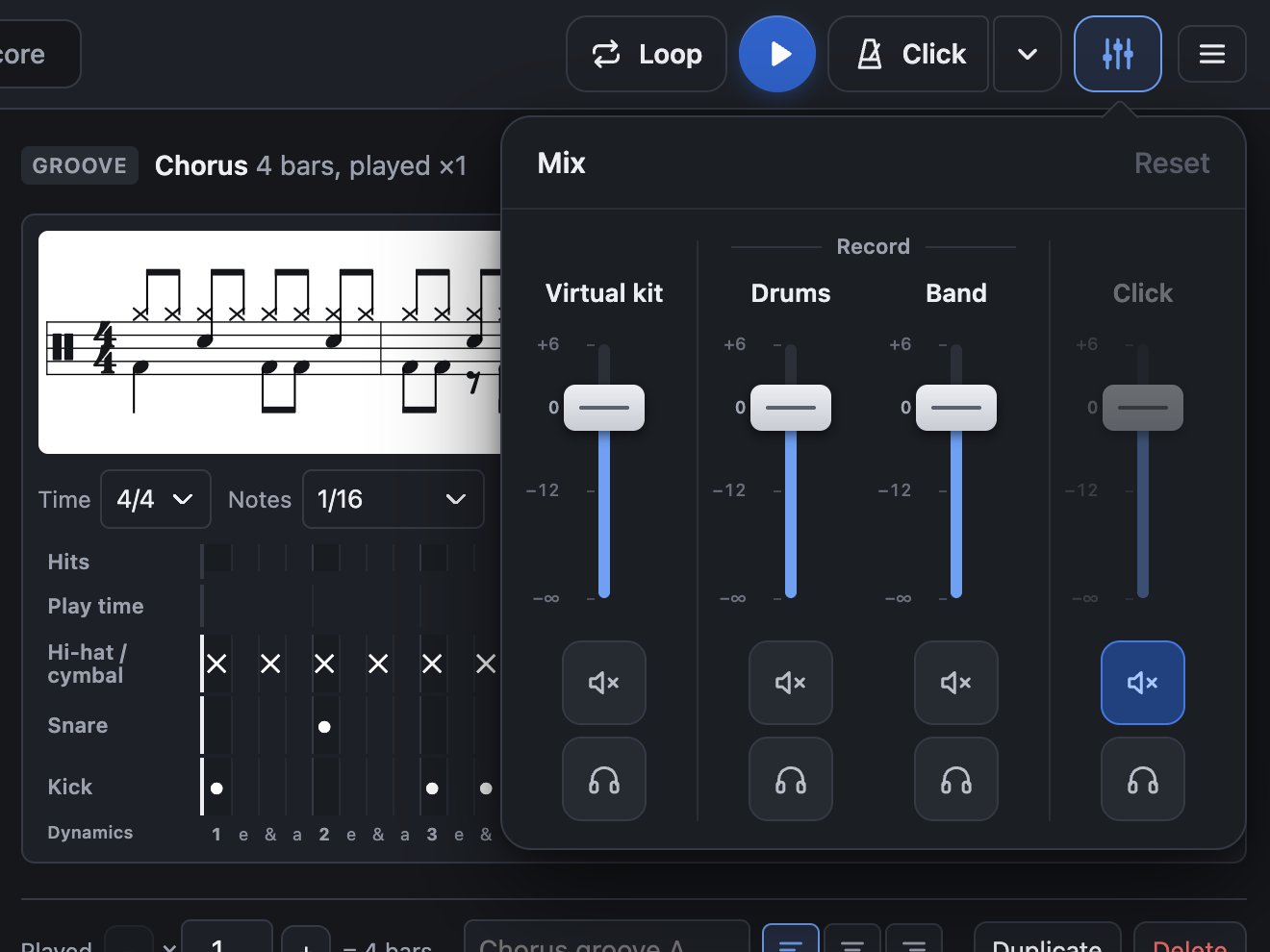
The mixer splits the recording into Drums and Band. Solo the drums to hear exactly what's played. Mute them to play along with the band. Slow it down and loop the hard bit.

It all happens on your computer. Nothing is uploaded.

The mixer open over the chart: faders for the virtual kit, Drums, Band and Click
3

Write the grooves

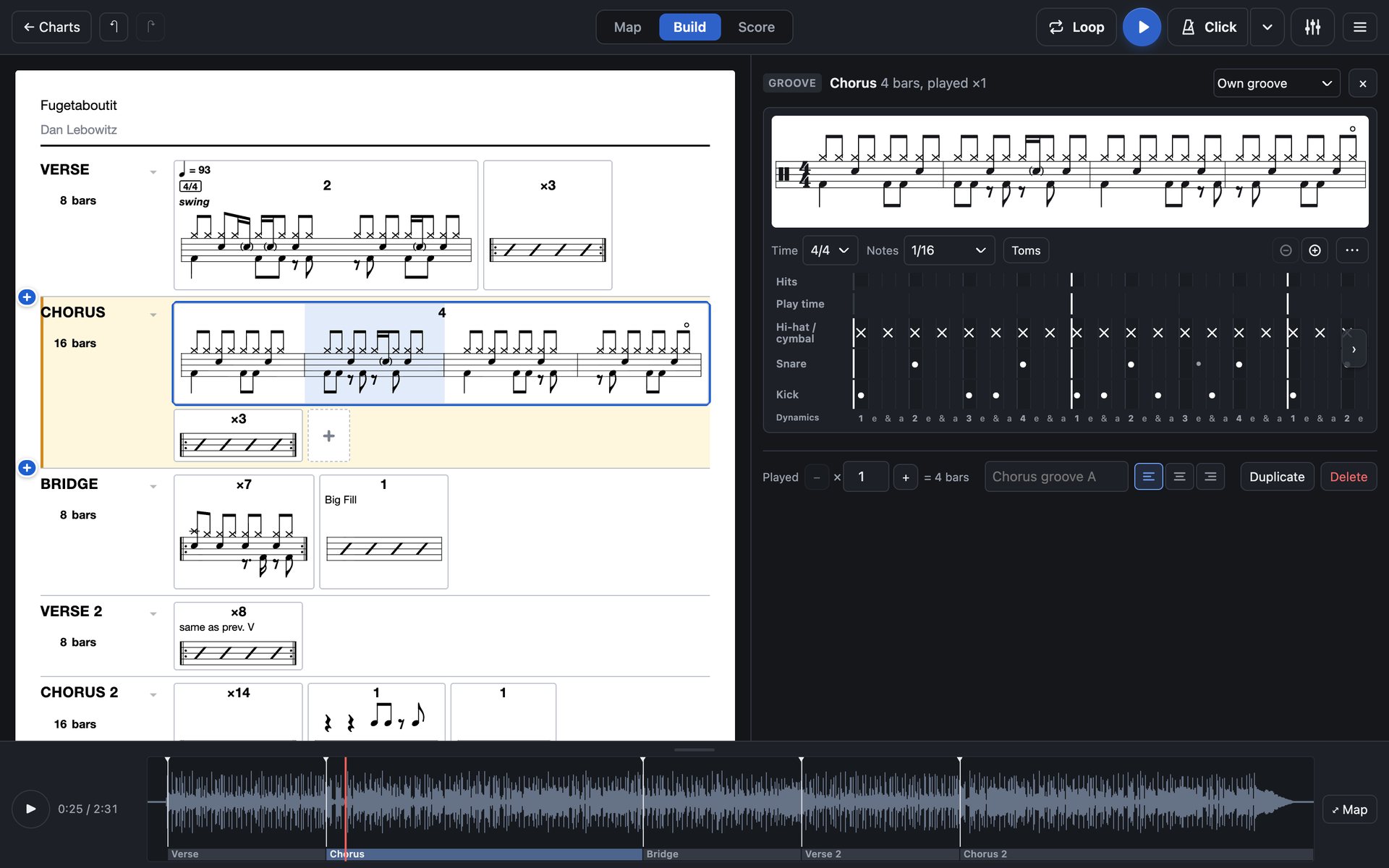
Click the hits into the grid. They show as proper notation as you write, and you can play them back against the record to check.

Build: the chart on the left, and the Chorus groove open in the grid on the right with its notation above
4

Export one page

Score lays the whole chart out on one page. Export a PDF and open it on your iPad in forScore, Files or whatever you use.

The finished chart page, as it exports

More than a chart of the record

Write it out properly, start from nothing, and take it to the stand.

Drum part

Reads like a proper drum part

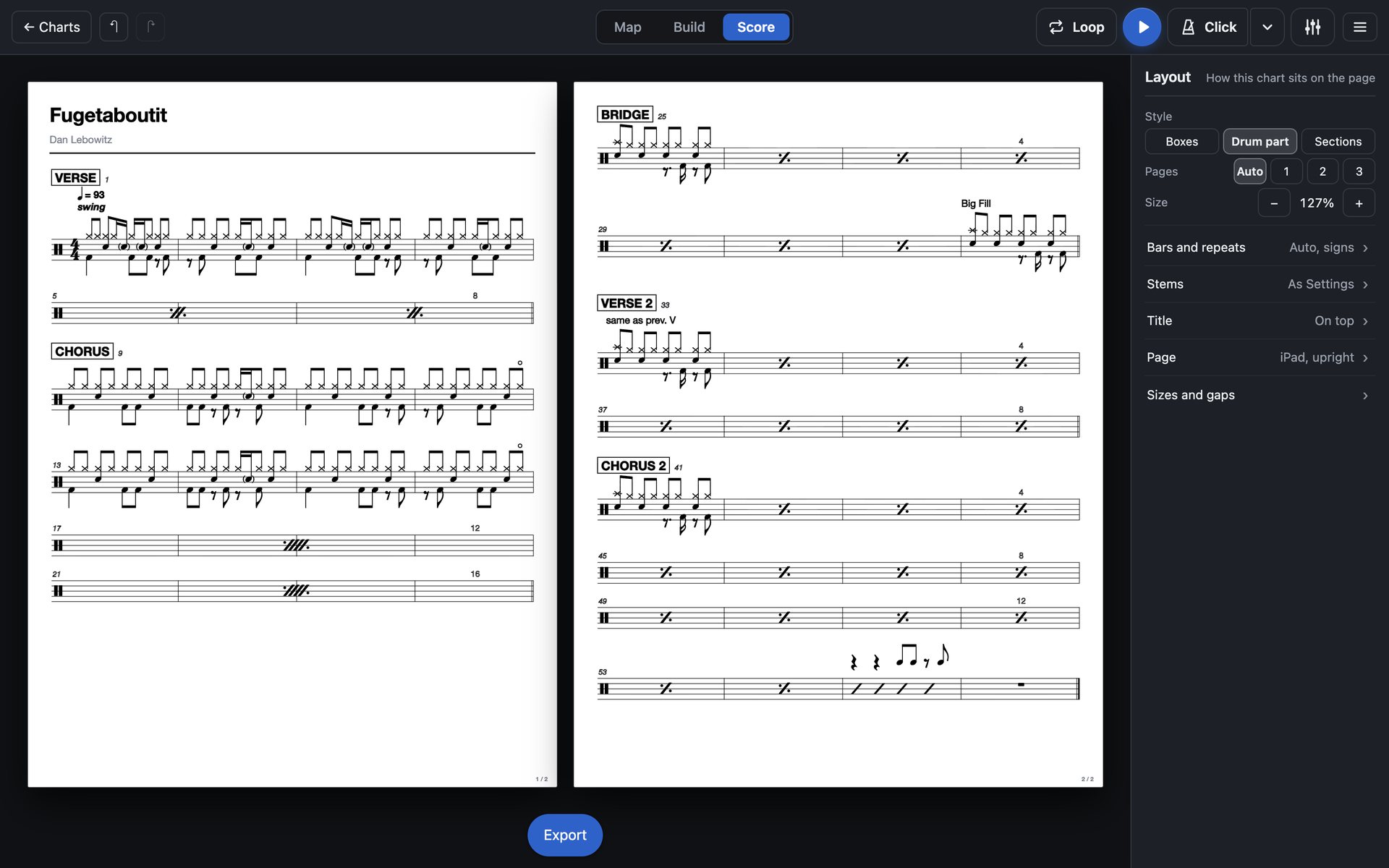
Switch Score to Drum part and the chart is written out the way a drum part should be.

  • Repeat signs for bars that repeat, and the two-bar sign
  • Four bars a line, numbered as you go
  • Boxed section names and multi-bar rests
  • D.S. al Coda if you want it, kept on one page

Your chart stays as you wrote it. Only the page changes.

Score in Drum part style: Fugetaboutit over two pages with repeat signs, boxed section names and bar numbers
No recording needed

Start from a blank chart

Choose Blank chart and write it bar by bar. Set the tempo and time signature, add sections, and write each groove in the grid.

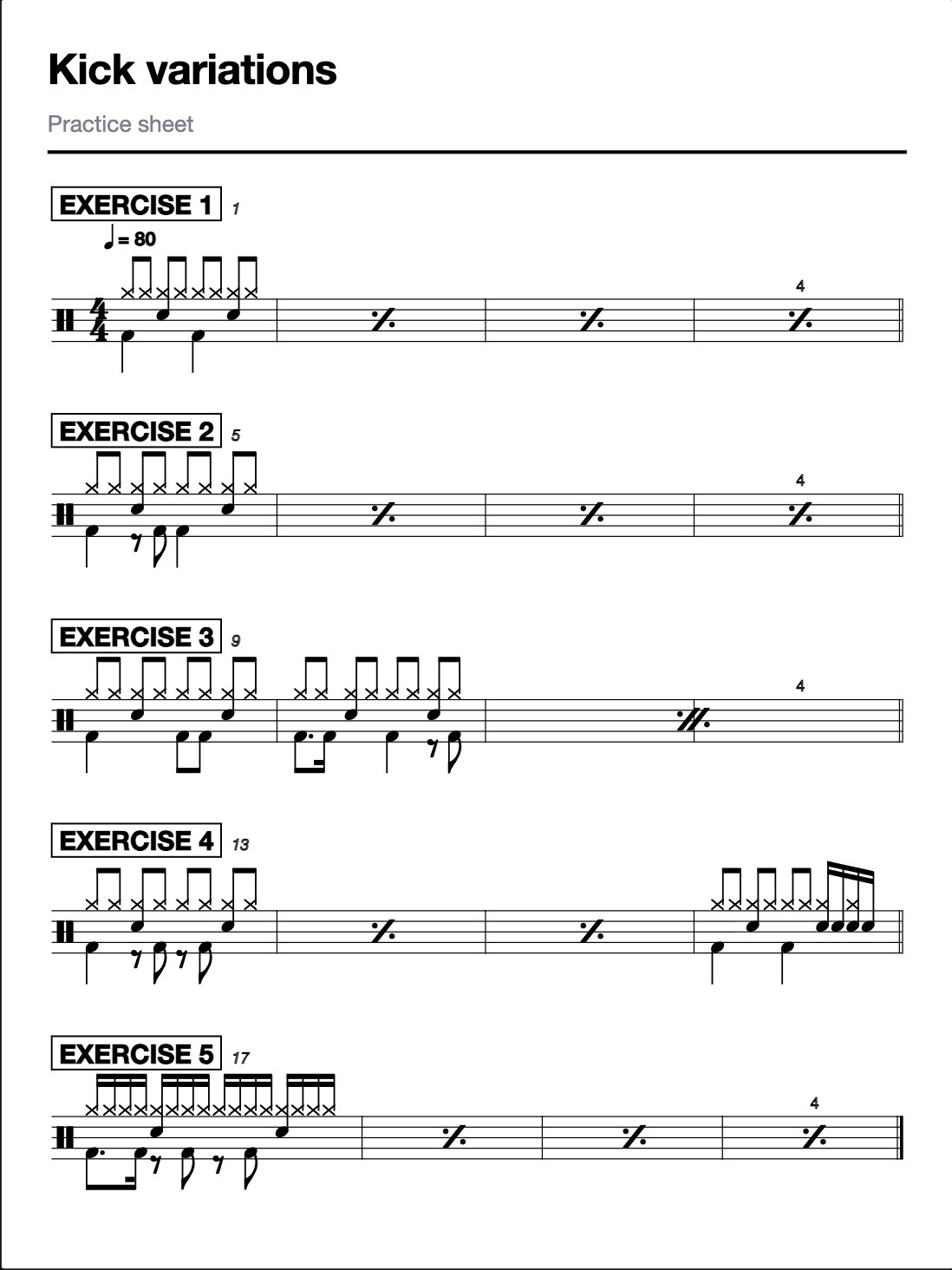
Teachers can make practice sheets the same way: grooves, fills and reading exercises, exported as a PDF to send to students.

A practice sheet made from a blank chart: Kick variations, five exercises written as a drum part
Every device

On your iPad, ready to play

Your charts sync. Sign in on another computer or an iPad and they are there.

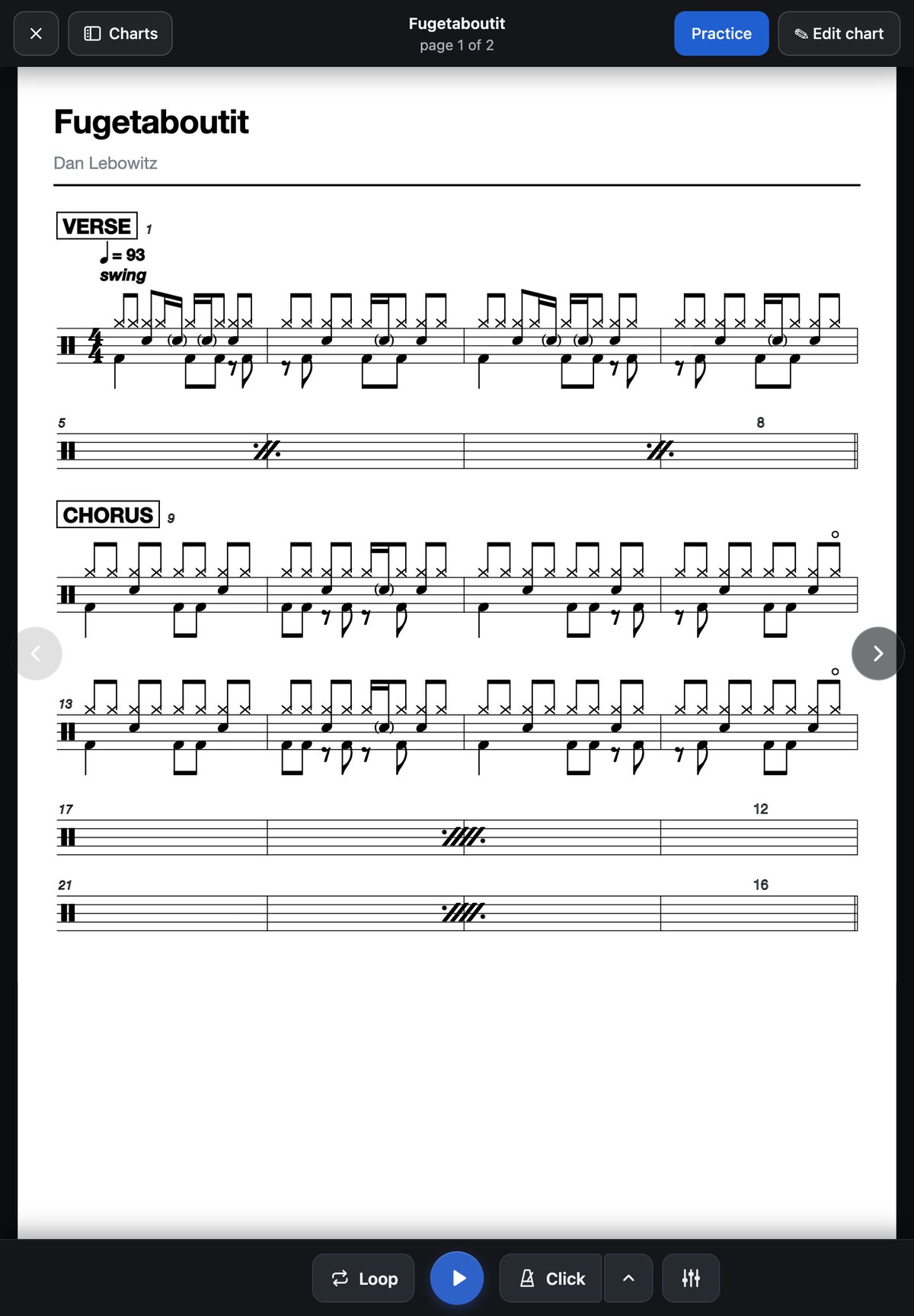
  • Practice plays the chart with the record. Loop a section, slow it down, and turn the drums up or down.
  • Gig is just the page. No sound. Swipe or use a page turner pedal.
  • The iPad and Mac apps are coming soon. Buy DrumChart here and both are included. The Mac app loads even faster.
Practice on an iPad: the Fugetaboutit drum part with Loop, play, Click and the mixer along the bottom

Good to know

Build on a computer

It runs on an iPad, but building is easier with a bigger screen and a keyboard.

Recordings stay with you

Nothing is uploaded, including for beat detection. Charts sync, recordings don't.

Your browser

Finding the beat needs Chrome or Edge, or Safari 26 or newer.

The trial is the whole app

Every feature for 7 days, starting when you first make or change a chart.

Keep what you made

Reading, playing and practising charts stay free for good.

Pay once

No subscription. Updates are included.

Free for 7 days, then

£29.99 once
  • No card needed for the trial
  • Nothing is ever charged automatically
  • No subscription. Updates included.
  • The iPad and Mac apps included when they come
  • Money back within 30 days if it isn't for you
Start your free trial Send yourself the link

VAT included. See pricing and refunds.

Questions

Do I need to read music?

No. You click the hits into a grid and they show as proper notation, so you learn to read it as you go.

Can I make a chart without a recording?

Yes. Choose Blank chart and write it bar by bar. It's how to make practice sheets and exercises.

What happens after 7 days?

Your charts stay open to read, play and export. Making and changing charts stops until you buy.

Is it a subscription?

No. You pay £29.99 once, VAT included. Nothing is charged automatically.

Are there iPad and Mac apps?

Both are coming soon, and they're included when you buy here. The Mac app loads even faster than the website. Until then, DrumChart runs in your browser on a Mac and in Safari on the iPad, and your charts sync to both.

Where do my recordings go?

Nowhere. They stay on your device. Your charts sync, so on another device you link the recording again.

Something else?

Email me at [email protected], or use Send feedback… in the ≡ menu in the app.